> For the complete documentation index, see [llms.txt](https://docs.channex.io/llms.txt). Markdown versions of documentation pages are available by appending `.md` to page URLs; this page is available as [Markdown](https://docs.channex.io/channel-mapping-guides/klook.md).
# Klook
How to connect with Klook
## Connect Klook to Channex
Please email Klook support to request the connection to Channex, they should provide you with your hotel ID
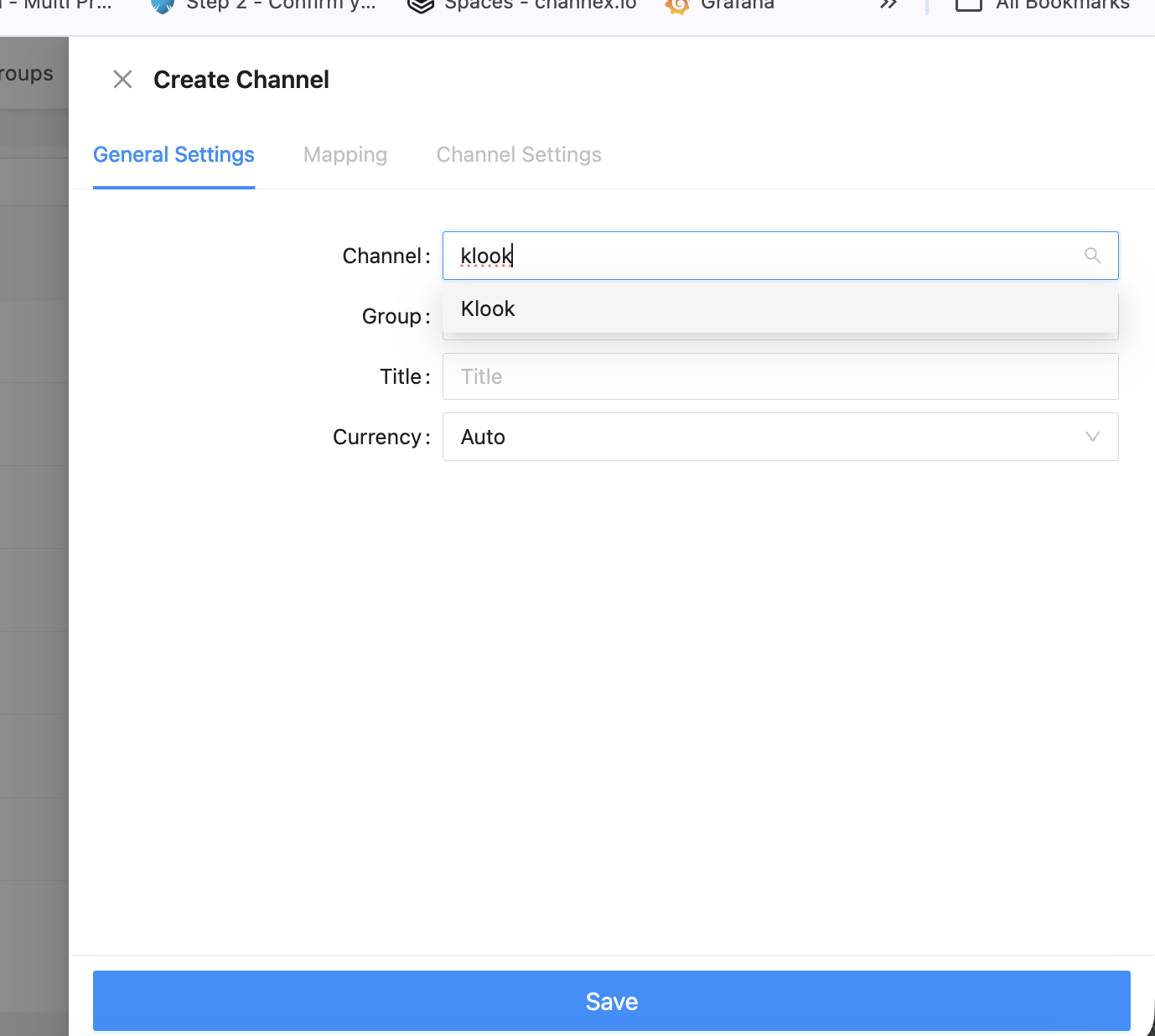
## Create the Klook Channel
Select **Klook** as the channel
Title - Enter the name you would like here to describe this connection
Group: Choose the correct group of which property you need to connect.
Property: Choose the property you wish to connect from Channex
Hotel ID: This will be the Klook Hotel ID
Test Connection - This button will check if we have access to that property in Klook, if there is an error please check your property ID. You might need to ask Klook support to check if Channex is connected.
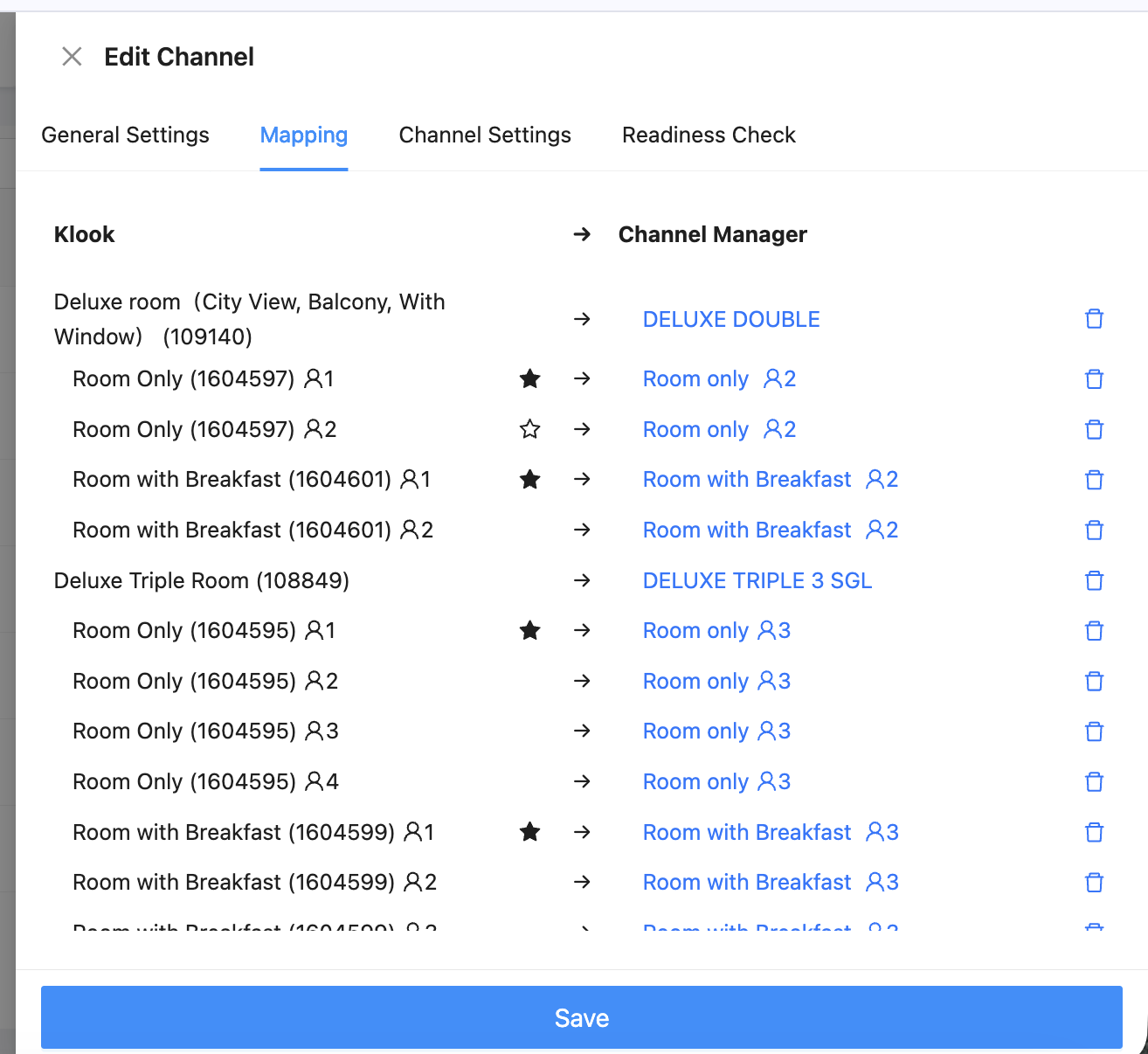
## Mapping
Click the mapping tab if the test button is a success, this will bring up mapping table.
Example:
Now you can map the room types from Channex to the Klook Room types and also any rate plans.
Make sure all is mapped and nothing left unmapped.
Once you save the channel please activate it